



Remark: This product is not recommended for new developments.
For new projects we recommend to use the successor product, CAN Bridge NT 200/420
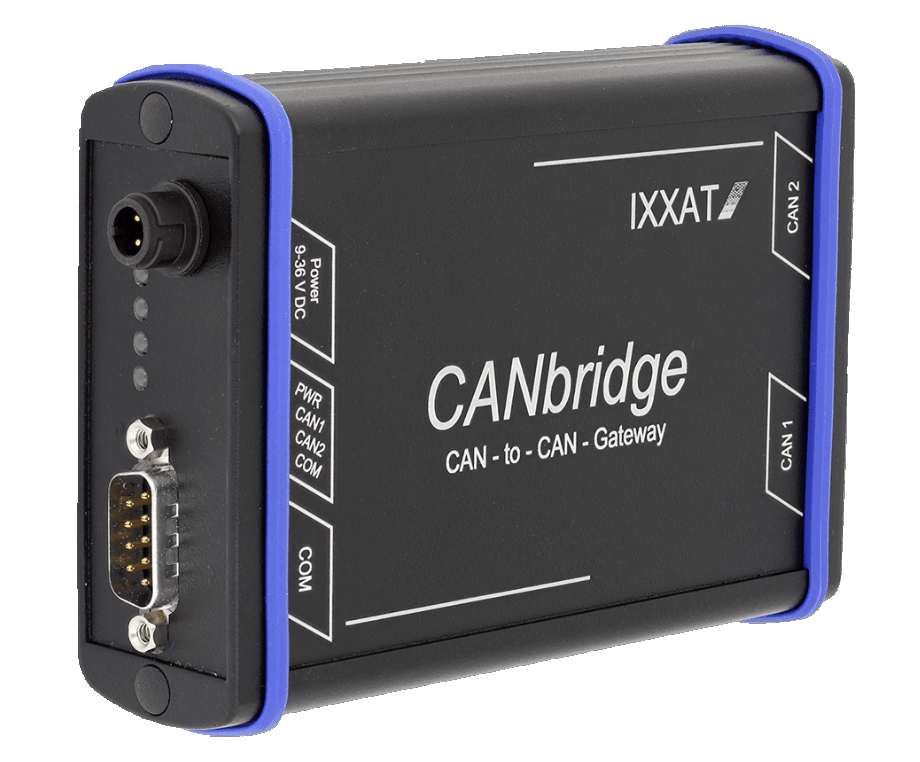
Features and Benefits
- Allows larger system expansion
- CAN Id Filter and conversion functionality
- Increased system reliability
- Galvanic isolation optional
- Cost savings due to simple wiring
The CAN Bridge has a powerful 16-bit microcontroller that can process bursts at higher data rates without message loss. LEDs signal the current status of the coupled networks.
The CAN Bridge is configured via a configuration file which is downloaded to the device by a loader program.
The CAN Bridge is available in two different versions: as an industrial version and as an automotive variant, both in a robust aluminium housing.
CAN Bridge Configuration
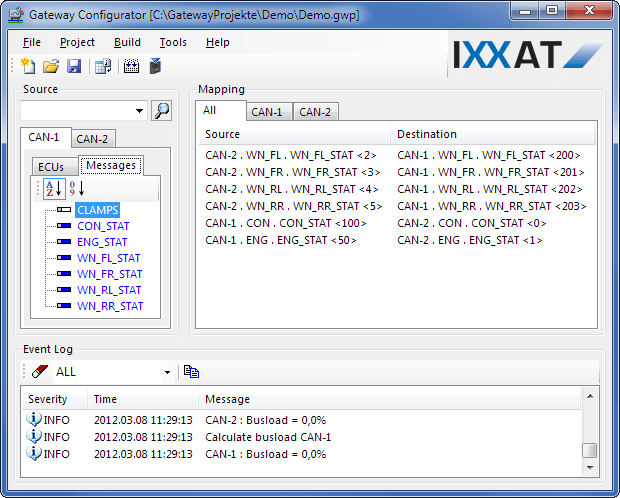
The configuration of the CAN Bridge can either be made using a configuration file, which is uploaded to the device via RS232, or by using a special Windows gateway configuration tool. This gateway configuration tool enables an easy and quick drag & drop.
| Technical data | |
| Microcontroller | Fujitsu MB90F543 |
| CAN controller | 2 x CAN on-chip, CAN 2.0A, 2.0B |
| CAN bus interface | Industrial Version |
| 2x ISO 11898-2, galvanic isolated | |
| Automotive Version | |
| 1x ISO 11898-2, galvanic isolated | |
| 1x ISO 11898-3 | |
| Serial interface | RS232 for device configuration |
| Voltage supply | Industrial Version: 9-36 V, 1.5 W |
| Automotive Version: 7-16 V, 1.5 W | |
| Temperature range | -20 ºC ... +70 ºC |
| Certification | CE |
| Housing | Robust metal housing approx. 100 x 85 x 32 mm |
| Contents of delivery |
| - CAN Bridge |
| - Configuration software for Windows™ |
| - Configuration cable (RS-232) |
| - Power supply cable |
| - User Manual |